
PayPal Integration Guide
Welcome to the step-by-step guide for importing PayPal transactions into your Lappa account. This guide will take you through all the required actions to link your PayPal account with Lappa, allowing smooth synchronization of transaction data for effective tax preparation and submission. Connecting PayPal with Lappa helps simplify your tax reporting workflow and maintain precise financial records. Let’s begin!
Link your PayPal store to your Lappa account. The Lappa for PayPal app lets you handle tax calculations within Lappa for every transaction on your PayPal platform, and also allows you to submit EPR data for your packaging compliance obligations.
Step 1
Sign in to your PayPal Developer Dashboard:
– Open the following URL: https://developer.paypal.com/dashboard/applications/live
– Log in with your PayPal developer account credentials.
Step 2
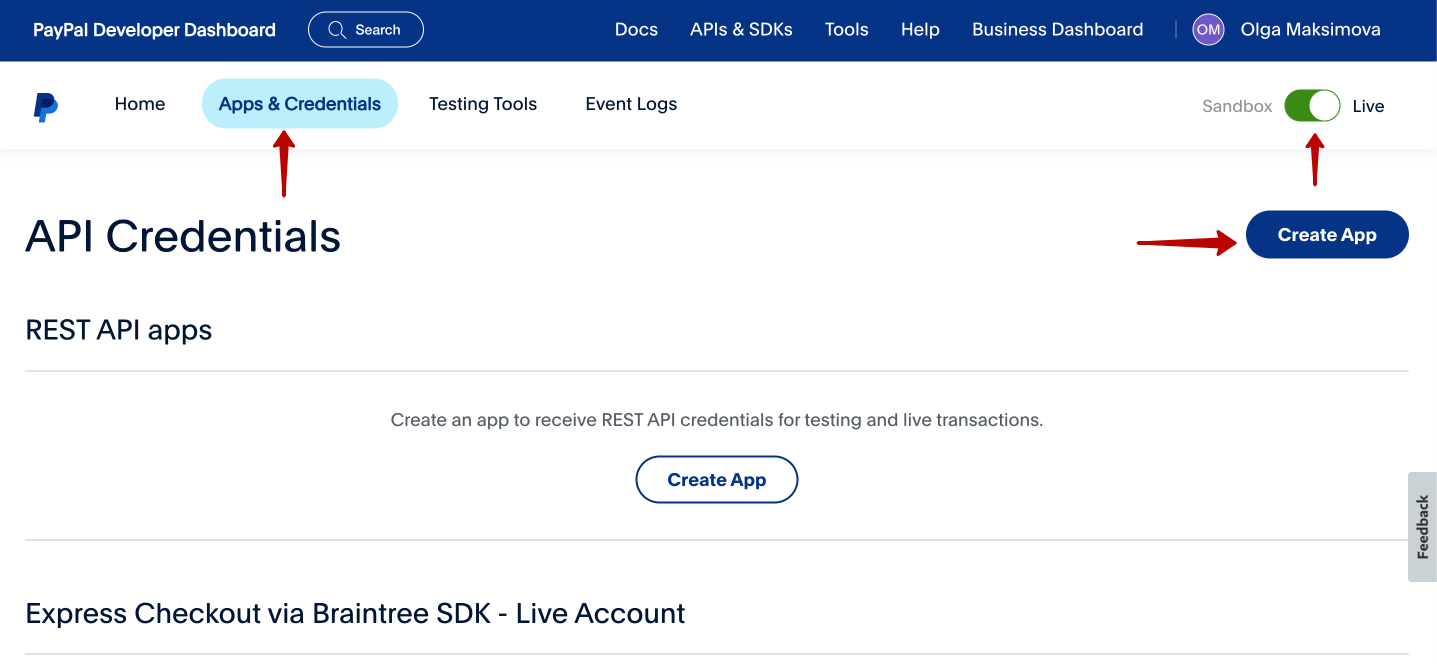
Open “Apps & Credentials”. After signing in, go to the “Apps & Credentials” section inside the PayPal Developer Dashboard.
Step 3
Set Up a New App:
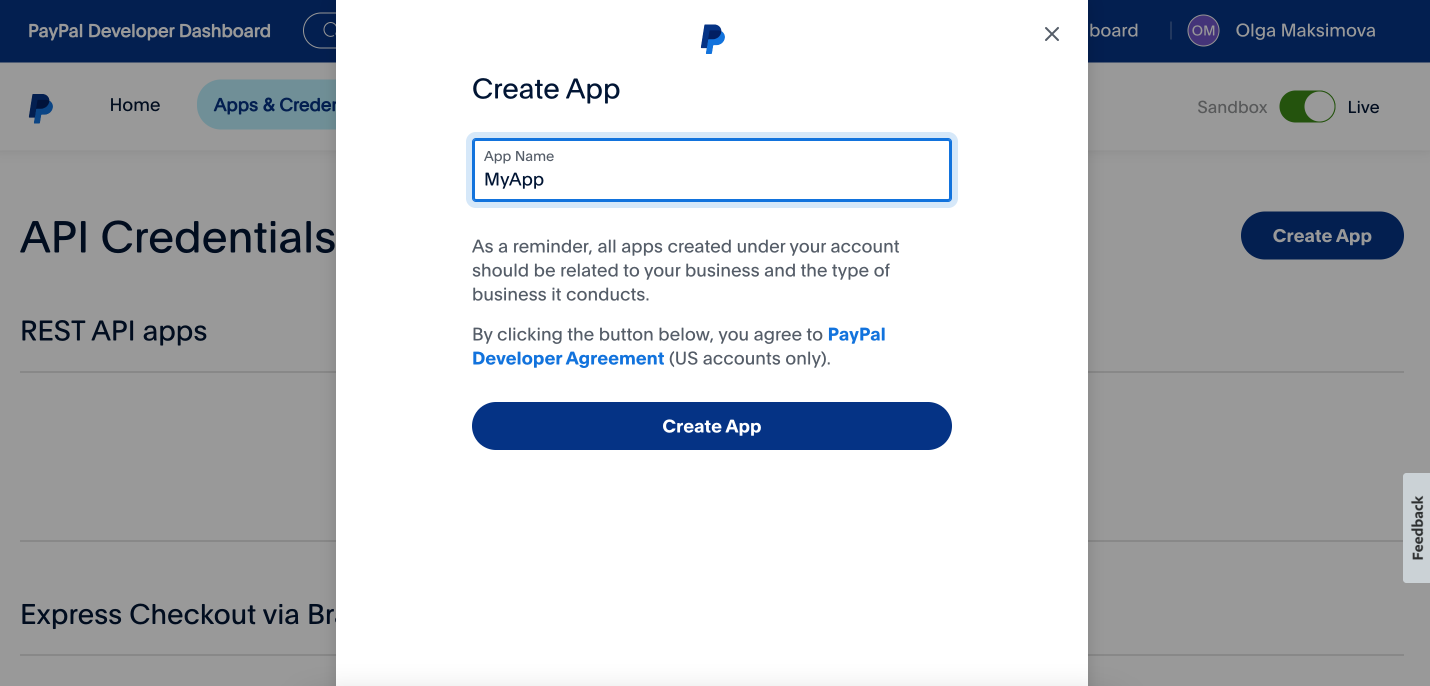
- Press the “Create App” button to begin the app setup process.
- Enter all the required information for your app, making sure everything is accurate and complete.
Step 4
Retrieve and Copy the API Keys:
- Once your app has been created, PayPal will produce API keys for authentication purposes.
- Copy the generated keys (including Client ID and Secret) provided by PayPal.

Integration with Lappa account
- Sign in to your Lappa account.
- Go to the integration settings or the PayPal integration section.
- Find the option to link PayPal to Lappa.
- Enter the previously copied API keys into the corresponding fields in your Lappa account form.
- Save your changes to enable the integration.
Uploading PayPal Transactions to Lappa
- Once the integration is active, go to the transaction import or data synchronization area within Lappa.
- Select the option to bring in transactions from PayPal.
- Follow the on-screen instructions to define the required date range.
- Start the synchronization process to pull PayPal transactions into your Lappa account.
Congratulations! You have successfully connected your PayPal account with Lappa, making it possible to transfer transaction data seamlessly for tax preparation and filing. Your PayPal transactions will now be synced with your Lappa account, supporting accurate bookkeeping and straightforward tax reporting. If you run into any difficulties or require additional support, please consult the PayPal documentation or get in touch with our support team for timely assistance.
Thank you for choosing Lappa for your tax preparation needs. We appreciate your business and look forward to serving you!