
How to Integrate FreshBook with Lappa
The L’Invoice & FreshBooks integration allows you to effortlessly transfer invoices created in FreshBooks straight to L’Invoice for Peppol-compliant e-invoicing.
Why connect FreshBooks with Lappa?
Linking your FreshBooks account to your Lappa account helps you automate tax calculations on invoices, cutting down on manual work and minimizing the chance of errors. To set up FreshBooks for tax compliance, please follow the straightforward steps below.
1. Prepare for integration with FreshBook
To kick off the FreshBooks integration, open your Lappa platform and sign in using your credentials.
Once you are inside:
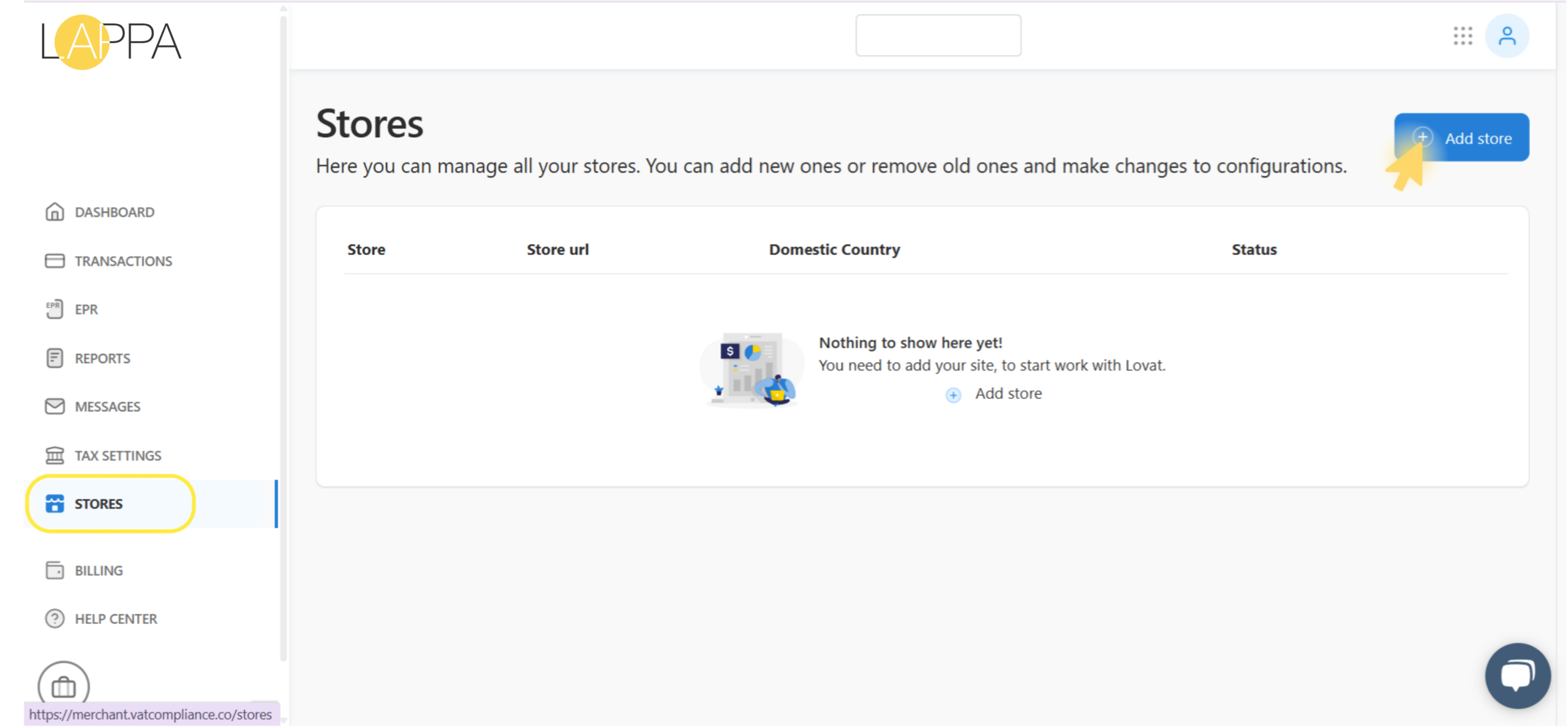
- Open the left-hand sidebar and click on STORES.
- In the top-right corner, press Add store to begin the setup process.
2.Connect Fresh Book to Lappa
On the Add store page:
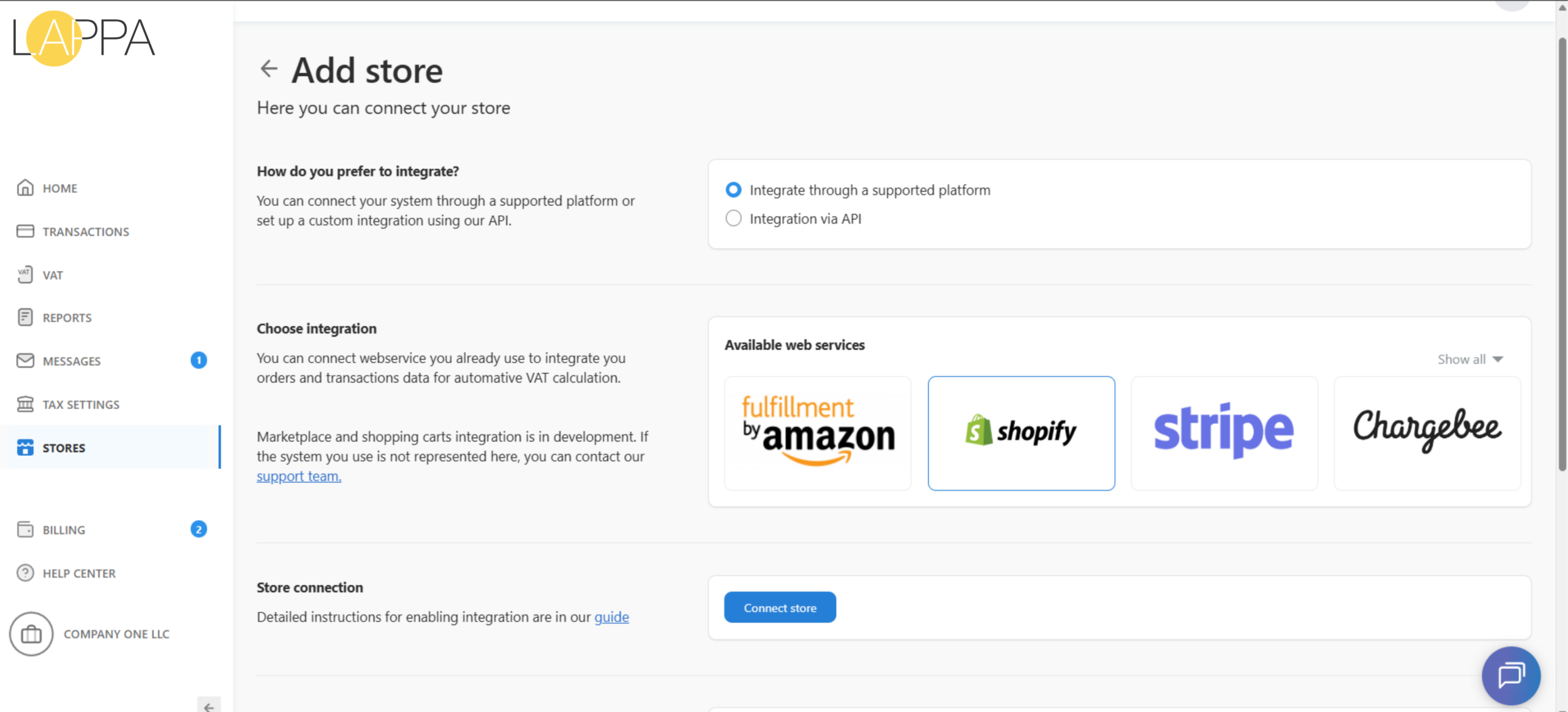
- Under “How do you prefer to integrate?”, choose “Integrate through a supported platform”.
- In the Available web services area, press Show all to view the full list of available connections.
- From the list, select FreshBooks to continue.
3. Fill in store details
Next, provide the key details for this integration:
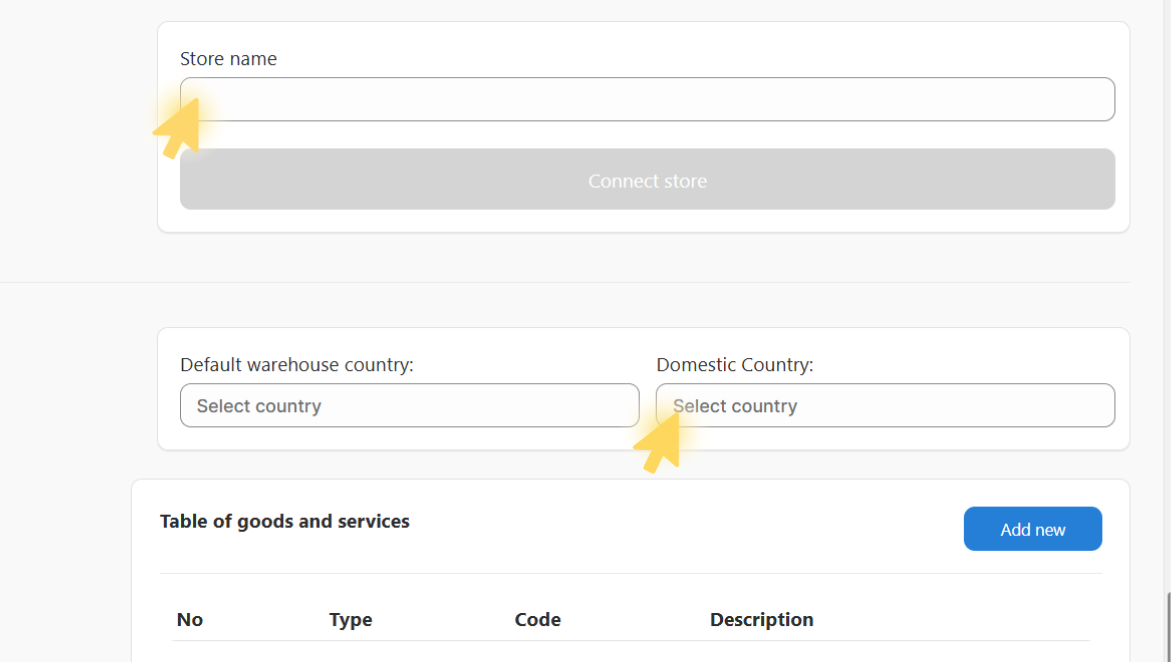
- In the Store name field, enter a name for your FreshBooks store connection.
- Choose your Default warehouse country and Domestic Country as required for tax reporting purposes.
- Once all mandatory fields are filled in, click Connect store to proceed.
4. Login in FreshBook Account
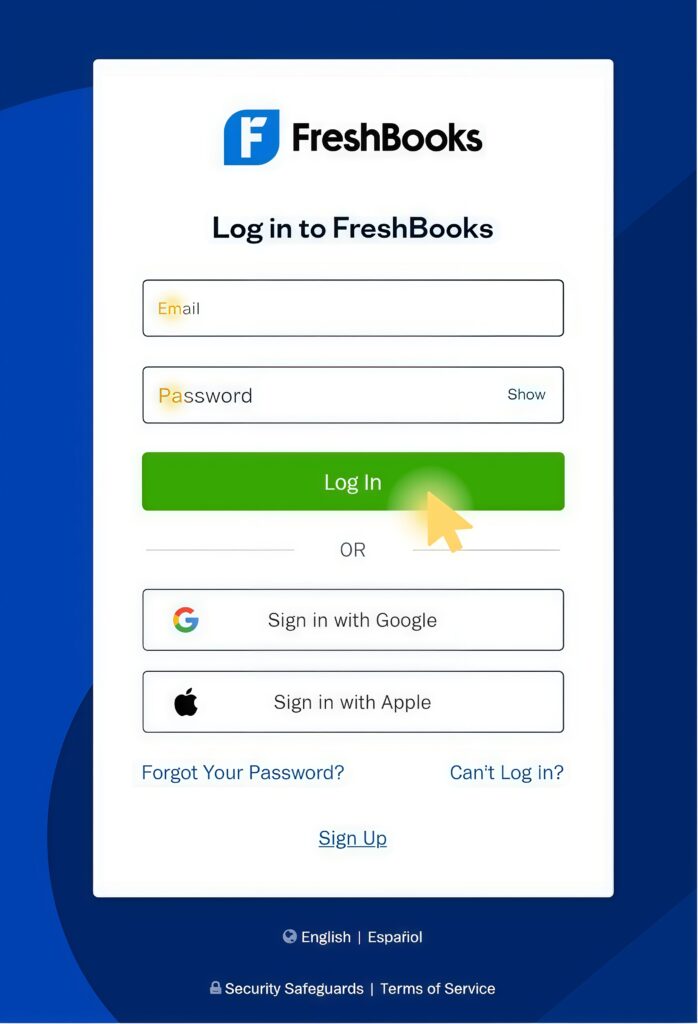
After clicking Connect store, you will be redirected to the FreshBooks login page.
- Enter the email address associated with your FreshBooks account.
- Type in your password and press Log in.
- If necessary, use Forgot password? to recover your login credentials.
5. Integration Lappa with Fresh Book completed!
Once you confirm the access request, your FreshBooks data will begin syncing with Lappa automatically.
Still have questions?
Contact us support@lappa.org